SaaS founders often see 2.9% + $0.30 on Stripe's pricing page. That number feels simple. But your real Stripe fees add up fast with international cards, Billing tools, and disputes. A Stripe fee calculator shows the true picture and protects your margins.
You process subscriptions daily. Yet hidden costs push SaaS payment processing costs to 4% or more. Building your own calculator uncovers these leaks. Let's walk through it step by step.
Grasp the Full Stripe Fee Breakdown
Start with what Stripe charges in April 2026. Domestic US cards cost 2.9% + $0.30 per successful charge. A $100 subscription pays $3.20 right there.
International cards add 1% to 1.5%, so totals hit 4.4% + $0.30. Currency conversion tacks on another 1% to 2%. Stripe Billing for recurring payments adds 0.7% of volume. Disputes cost $15 each, even if you win.
These stack quickly. For a $100 international sub with Billing and tax via Stripe Tax (0.5%), you pay about $5.60. That's 5.6% gone.

SaaS payment processing costs vary by mix. Cards dominate at 2.9%, but ACH drops to 0.8% capped at $5 for B2B. Wallets like Apple Pay match card rates. Check Stripe's pricing details for your setup.
Break it down like this:
| Fee Type | Rate | Example on $100 US Sub |
|---|---|---|
| Domestic Card | 2.9% + $0.30 | $3.20 |
| International Card | +1.5% | $4.70 |
| FX Conversion | +1-2% | +$1.00-$2.00 |
| Stripe Billing | 0.7% | +$0.70 |
| Dispute | Flat | $15 |
This table shows why averages mislead. High-value subs suffer more from fixed fees. Therefore, segment your data first.
Pull Real Data from Stripe's API
You need accurate inputs. Stripe's API gives them. Use the /v1/charges endpoint for transaction history.
Connect via OAuth for read-only access. Pull charges over 30-90 days. Fetch fields like amount, fee, currency, payment_method, and customer country.
Code it in Python or Node.js. Here's a basic pull:
const stripe = require('stripe')('your_secret_key');
const charges = await stripe.charges.list({limit: 100});
Parse fees per charge. Group by method or region. This feeds your calculator. For full breakdowns, tools like FeeTrace features automate it.
Export to CSV if coding from scratch. But API keeps it live. As a result, you spot trends like rising international volume.
Code the Core Calculations
Now compute totals. Start with base: fee = (amount * percent_rate) + fixed_fee.
Domestic: fee = (amount / 100 * 0.029) + 0.30.
Adjust for extras. If international, add 0.015 * amount / 100. For Billing, tack on 0.007 * recurring_amount / 100.
Handle currencies. Convert via Stripe's rates or external API. Sum fees, divide by gross volume for effective rate.
Test cases matter. Run a $50 US card: $1.75 base. Add Billing: $1.90 total. Scale to monthly volume.
Your script outputs effective rate and Stripe fee breakdown. Share it via dashboard or sheet. In addition, log disputes separately since they skew averages.
Follow These Steps to Build Your Calculator
Break construction into phases. First, set up Stripe API keys.
Next, build data fetcher. Query recent charges, store in database like SQLite.
Then code logic. Input transaction details; output fees.
Finally, add UI. Use React for inputs like volume, % international. Display charts.
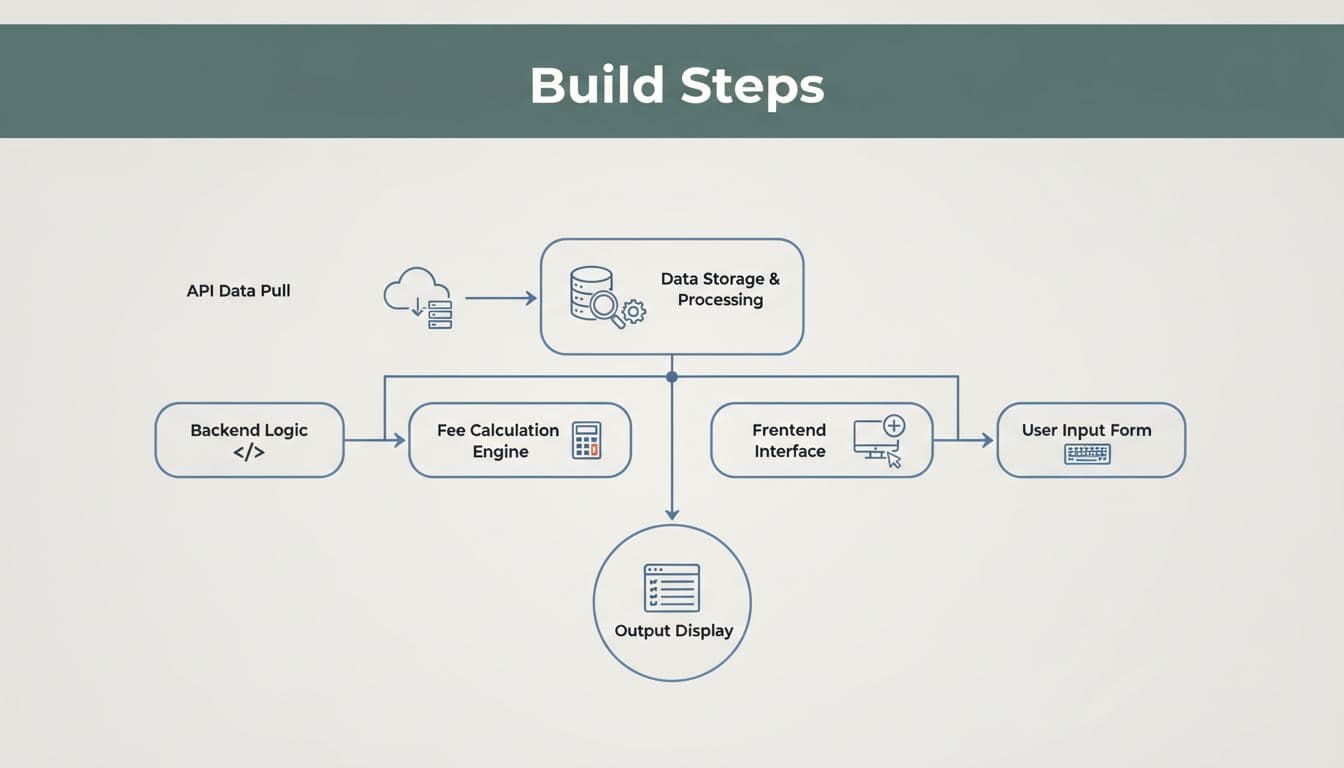
Deploy on Vercel. Test with real data. Most importantly, rerun monthly.
For SaaS scale, integrate how FeeTrace works. It handles this without code.
Compare Stripe vs PayPal Fees
Does switching save? Stripe vs PayPal fees favor Stripe usually.
Stripe: 2.9% + $0.30 domestic. PayPal: 3.49% + $0.49. On $100K volume, Stripe saves $1,190 yearly.
International hurts both. Stripe adds 1.5%; PayPal 4.99% total. ACH on Stripe beats PayPal's bank options.
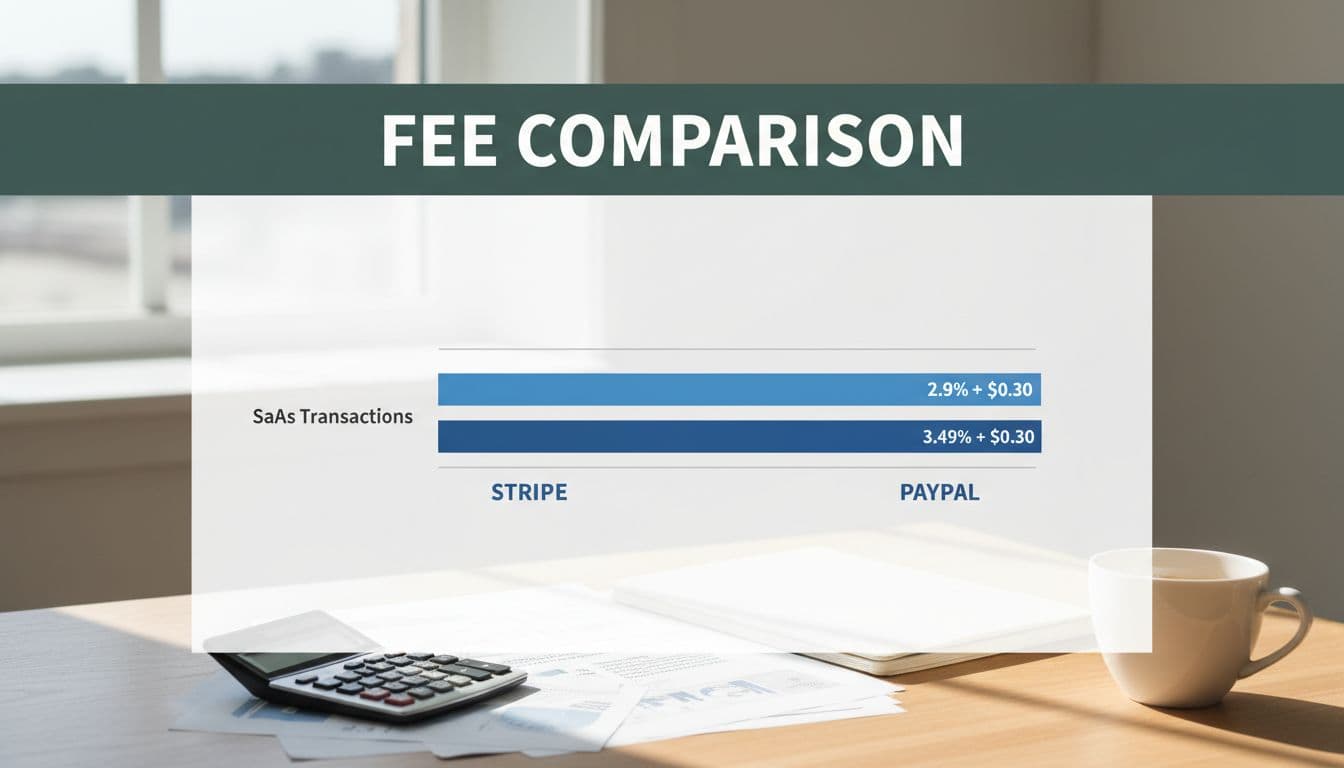
| Aspect | Stripe | PayPal |
|---|---|---|
| Domestic | 2.9% + $0.30 | 3.49% + $0.49 |
| International | +1.5% | Up to 4.99% |
| Subscriptions | +0.7% Billing | Included |
PayPal wins on trust for some users. Stripe excels in APIs. See this comparison for details.
Ways to Cut Your Stripe Processing Fees for SaaS
Build the calculator to find leaks. Then act.
Push ACH for B2B. Saves 67% vs cards. Offer wallets to dodge international adds.
Negotiate if over $1M monthly. Skip Billing if you code subs yourself.
Reduce disputes under 0.3% with Radar. Retry failed payments smartly.
Track via FeeTrace pricing. How to reduce Stripe fees starts with visibility.
Tools like Dodo Payments calculator help model changes.
A custom Stripe fee calculator arms you with facts. You see Stripe processing fees SaaS realities. Domestic stays low, but extras climb without watch.
Effective rates drop when you segment and optimize. Build yours, or Analyze My Fees today for instant insights. Your margins thank you.