
Usage-based billing can improve expansion revenue while quietly raising your effective payment cost. The processor's headline rate may stay the same, but the shape of your charges changes everything.
If you bill in tiny increments, add overage charges mid-cycle, or sell globally, your margins can slip faster than expected. That's why Stripe fees deserve a closer look when you move away from simple flat subscriptions.
The cost story starts with how usage becomes an invoice, then a payment.
Why usage-based billing changes the fee math
As Stripe's guide to usage-based pricing for SaaS explains, the model ties pricing to customer value. That's great for adoption. Still, it also changes how often you charge, how much each charge is worth, and when cash actually lands.
When people search for Stripe processing fees SaaS, they usually want one clean percentage. Usage based billing breaks that shortcut. A $500 subscription billed once does not behave like fifty $10 charges, even when monthly revenue is identical.
As of April 2026, teams using Stripe often start with 2.9% + $0.30 for standard online card payments. If they also use Stripe Billing for subscription volume, an added 0.7% can apply. That means the fixed $0.30 matters most on high-frequency, low-ticket transactions. Charging a card for every small event is like paying shipping for every paper clip.
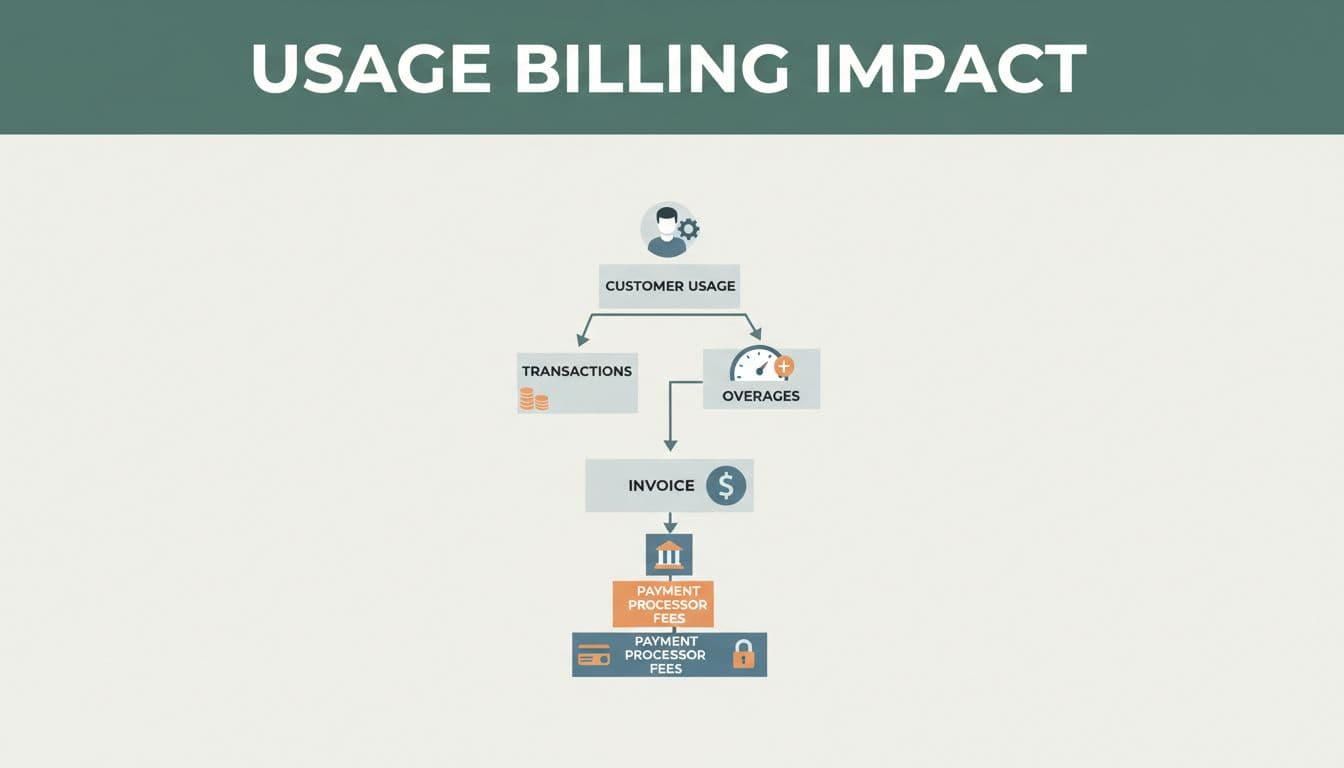
That doesn't mean the model is flawed. It means billing design matters. Monthly aggregation, threshold billing, and prepaid credits can lower fee drag without changing your list price. Stripe's advanced pricing plans documentation shows how recurring fees, credits, and overages can sit together in one structure.
The pressure shifts depending on how you bill:
| Billing pattern | Direct fee effect | Indirect cost effect |
|---|---|---|
| Real-time microcharges | Fixed fee dominates | Heavy reconciliation load |
| Prepaid credits | Fewer transactions, better effective rate | Refund and credit-balance support |
| Monthly invoicing | Lower charge count | More collections and dunning work |
| Overage charges | More charge events and dispute exposure | More billing questions from customers |
The key takeaway is simple: revenue shape drives fee shape.
Direct Stripe fees are only half the picture
A useful Stripe fee breakdown separates direct processor costs from operating drag. On the direct side, you may see card fees, Stripe Billing fees, cross-border add-ons, currency conversion, paid invoice fees, and dispute costs. A single chargeback can add a $15 fee on top of the lost time.
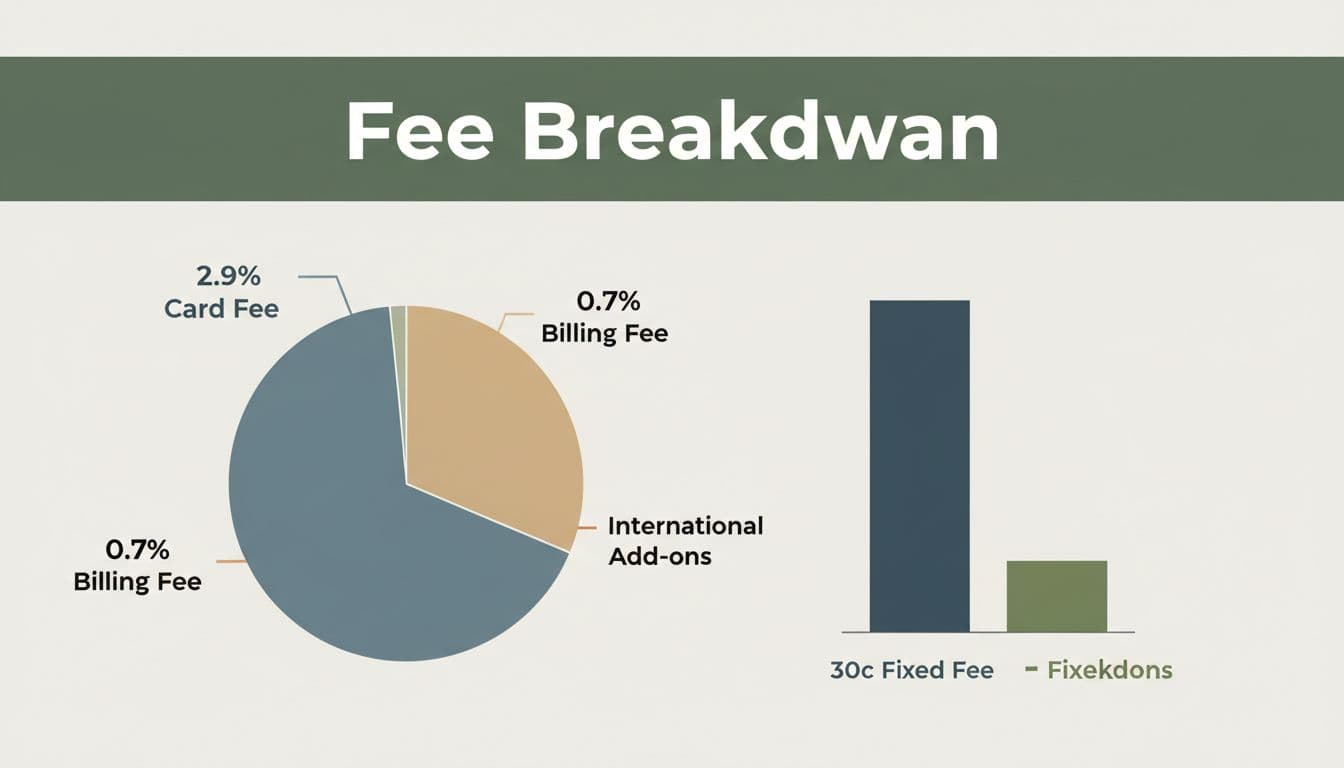
International customers raise the stakes. Cross-border payments can add 1.5%, and currency conversion can add another 1.0%. If a growing share of your volume comes from overseas, your blended rate can climb even when domestic pricing stays flat.
Indirect costs are easier to miss, but they still hit margin. Failed payment retries create dunning flows, ledger noise, and support tickets. They also waste finance time during month-end close. Even when a failed attempt doesn't look like a full settled payment fee, it still carries labor cost.
Monthly invoicing flips the tradeoff. You reduce the number of charges, so the fixed fee hurts less. Yet you take on more accounts receivable risk, more follow-up, and slower cash collection. Prepaid credits do the opposite. They often improve effective fees and cash flow, but they can create refund questions and breakage accounting.
The biggest margin leak often sits outside the posted processor rate.
This is why blended averages are risky. To control SaaS payment processing costs, segment by transaction size, payment method, currency, and geography. If you need a deeper view, tools that explore Stripe processing fee breakdowns can show where the real drag starts.
How to reduce Stripe fees without undoing your pricing model
The answer to how to reduce Stripe fees usually isn't switching processors first. The usual Stripe vs PayPal fees debate matters less than your billing shape. If you collect too many small card payments, another provider may still leave you with the same structural problem.
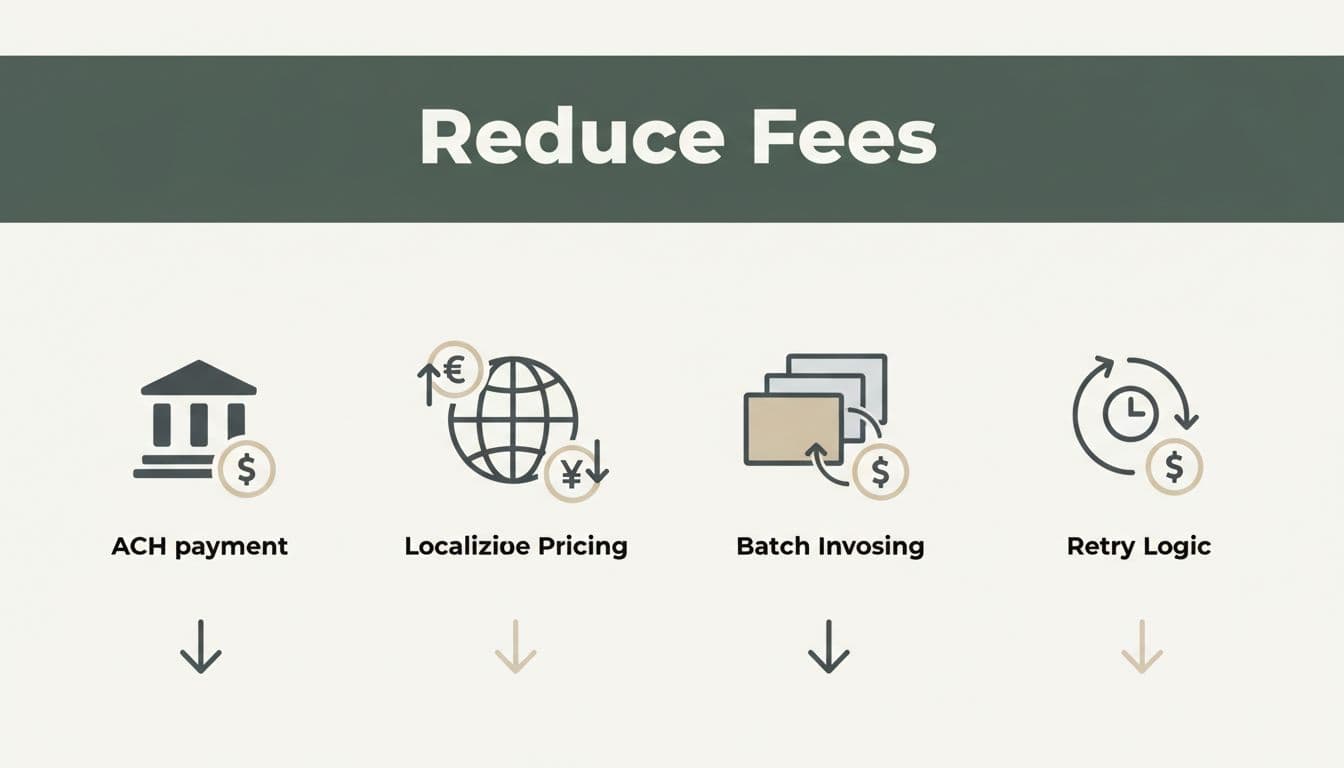
Start by reducing charge count where customer experience allows it. Aggregate usage into one monthly invoice. Use threshold billing for heavy users. For B2B accounts, prepaid credits can work even better. One $500 top-up is cheaper to process than fifty $10 charges, and it's easier to reconcile.
Next, match payment method to deal size. Large invoices often belong on ACH or bank debit, not cards. A basic Stripe fee calculator can show the visible savings. Still, it won't capture fewer retries, fewer disputes, or less support work.
Then fix recovery flows. Smart failed payment retries, cleaner card updater logic, and pre-dunning emails help recover revenue without annoying customers. Also segment international customers. Local pricing, local payment methods, and fewer forced FX conversions can lower both failures and fees.
Finally, review overage design. If customers hate surprise bills, support costs climb and disputes follow. Clear caps, usage alerts, and invoice previews protect revenue and reduce noise. If you want to Analyze My Fees, start with transaction size buckets, retry behavior, and cross-border mix. For a practical workflow, see how FeeTrace analyzes Stripe fees.
Usage-based billing doesn't raise costs on its own. Poor charge design does. The best SaaS teams keep the pricing model customers like, but change when and how money moves.
If your effective rate keeps drifting up, start with your billing pattern before you blame the processor. That's the fastest way to get a Stripe fee breakdown that reflects reality, protect margin, and grow with fewer surprises.