
That familiar 2.9% + 30¢ rate is only the front door. For SaaS teams using stripe connect fees can include processing, payouts, FX, disputes, refunds, and platform-level charges that never show up in a simple headline number.
If your margins feel thinner than expected, the issue is often hidden in the fee stack. Once you separate each layer, the math gets much easier to manage.
What Stripe Connect fees actually include
When founders talk about Stripe fees, they often mix together two different buckets.
First, there are payment processing fees. As of April 2026, Stripe still commonly lists US online card pricing at 2.9% + 30¢ for many standard cases, while other payment methods can be lower or higher. Stripe's own guide to processing fees is the right place to check how those charges work.
Second, there are Connect-related platform costs. These depend on how your platform is set up. In some setups, Stripe handles pricing for connected accounts directly. In others, your platform controls pricing, adds an application fee, and may also pay payout-related charges. Stripe outlines those options on its Connect pricing page.
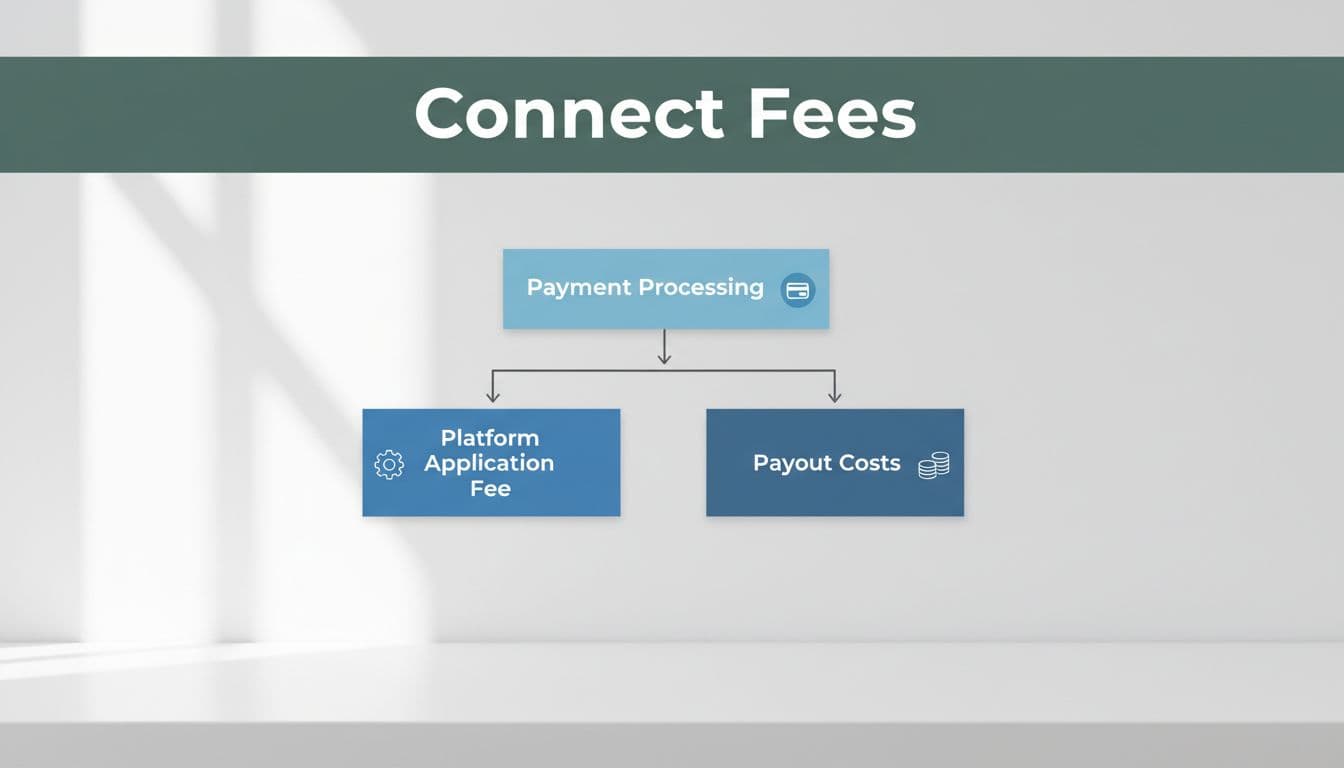
This is where a clean Stripe fee breakdown matters. "Stripe Connect" doesn't always mean one extra fee on every payment. It can mean a different owner of the fees, a different payout flow, or a different way to recover costs from connected accounts.
Here's the simplest way to think about the account models:
| Account model | What it usually means | Fee impact for platforms | | | | | | Standard | The user has their own Stripe account and more direct control | Less platform overhead, fewer fee decisions for you | | Express | Stripe hosts much of the seller experience | Useful when you want lighter onboarding with managed payouts | | Custom | Your platform controls more of the experience | More flexibility, but more pricing and ops work |
The takeaway is simple: the same payment volume can produce different totals depending on whether you use Standard, Express, or Custom, and on who pays each fee line.
A practical Stripe fee breakdown with SaaS examples
The easiest way to understand Stripe processing fees SaaS teams face is to work through the math.
Example 1: A $100 platform transaction
A connected account sells a $100 service through your platform. Your platform takes a 10% application fee, so you keep $10.
Stripe processing on a US card is $3.20, which is 2.9% of $100 plus 30¢. That leaves $86.80 for the connected account before any payout cost. If your setup adds a US payout fee of 0.25% + 25¢, the payout on $86.80 costs about $0.47. The connected account receives about $86.33.
That sounds simple, but only after you separate each layer:
- Gross payment: $100.00
- Platform fee: $10.00
- Processing fee: $3.20
- Payout fee: about $0.47
- Net to connected account: about $86.33
Who carries each cost depends on your Connect model and your pricing rules.
Example 2: A $12 monthly SaaS charge
Small tickets change the picture fast. On a $12 charge, the same 2.9% + 30¢ equals about $0.65. That's an effective rate near 5.4% before cross-border charges, disputes, or optional tools.
That's why low-price subscriptions often feel like death by paper cuts. The fixed 30¢ portion bites much harder on small transactions.
A Stripe fee calculator helps for one-off estimates. Still, your true cost depends on your real mix of invoices, payment methods, and countries. That's where deep fee breakdowns by transaction size and method become more useful than a spreadsheet.
The hidden costs that raise SaaS payment processing costs
Headline rates rarely match real SaaS payment processing costs.
Payouts are one reason. Standard payouts are often free in some setups, while instant payouts commonly add 1%. Cross-border payouts can start at 0.25%, and local country pricing can differ. Currency conversion is another margin leak, because FX charges stack on top of payment fees when money moves between currencies.
Disputes and chargebacks matter too. A dispute can trigger a separate fee, and a lost case can leave you with both the dispute charge and the original processing cost. Refunds also deserve care.
A refund fixes the customer problem, but it doesn't always erase every fee.
Optional tooling changes the picture again. Billing, tax, fraud tools, and some payment methods can push your effective rate above the base card price. That's why comparing Stripe vs PayPal fees using only the homepage rate is misleading. The better test is total cost by payment method, country, dispute rate, and average order value.
Pricing also changes by market and over time, so always verify the latest local Stripe pricing before you rework margins or pass fees through.
How to reduce Stripe fees without hurting growth
The best answer to how to reduce Stripe fees is usually better mix, not endless negotiation.
Start with transaction size. Annual plans, bundled invoices, or minimum invoice thresholds can lower the hit from fixed per-charge fees. Next, review payment methods. If part of your volume can shift to bank-based payments, local methods, or lower-cost rails, your blended rate can fall without touching conversion.
Then look at operational waste. Instant payouts feel helpful, but they can become an expensive habit. Failed payment retries, cross-border billing on the wrong currency, and avoidable disputes also raise your effective rate. If your platform controls pricing, Stripe's platform pricing tool can help you set application-fee rules more cleanly. You can also review how FeeTrace analyzes Stripe fees if you want a transaction-level view before changing pricing.
Stripe Connect can still be a strong fit for platforms in 2026. The key is to stop treating "2.9% + 30¢" as the full story.
When you track the full Stripe fee breakdown by country, payment method, and account model, the best savings ideas become obvious. Before changing pricing or switching processors, Analyze My Fees and check what you're truly paying.