
Every extra seat should lift revenue, not quietly trim margin. Yet with Stripe SaaS pricing, the same headline rate can feel harmless on a $500 invoice and painful on a $12 seat.
As of April 2026, a standard US card charge on Stripe is 2.9% plus 30¢, and recurring subscriptions through Stripe Billing add 0.7% on top. For seat-based SaaS, that fixed 30¢ often does the real damage. Here's where the math gets sharp, and how to fix it.
How seat-based pricing changes your Stripe fee breakdown
Stripe supports per-seat subscriptions by mapping seats to a quantity on the subscription, as shown in Stripe's per-seat pricing docs. That part is simple. The harder part is modeling the full Stripe fee breakdown behind each invoice.
For a standard US recurring card payment, a quick Stripe fee calculator is:
Fee = 2.9% of invoice amount + 30¢ + 0.7% billing fee
In plain English, that means about 3.6% plus 30¢ for domestic recurring card charges. However, that isn't the whole story. Cross-border cards can add 1.5%, currency conversion can add 1%, and disputes cost $15 each.
This is why Stripe processing fees SaaS teams care about are never only the headline card rate. The invoice shape matters too.
Here is the same fee formula across a few seat-based examples:
| Monthly charge | Core fee | Billing fee | Total fee | Effective rate |
|---|---|---|---|---|
| 3 seats x $10 = $30 | $1.17 | $0.21 | $1.38 | 4.60% |
| 10 seats x $25 = $250 | $7.55 | $1.75 | $9.30 | 3.72% |
| 50 seats x $20 = $1,000 | $29.30 | $7.00 | $36.30 | 3.63% |
The takeaway is simple. The 30¢ fixed fee hurts low-ARPU plans most. Once the invoice gets larger, that same fixed fee fades into the background.
If you sell to B2B teams, pricing and packaging choices matter as much as payment ops. Stripe's own guide to SaaS pricing and packaging is useful here, because better packaging often leads to healthier invoice sizes before finance ever touches the fee model.

Monthly versus annual billing, and the hidden cost of tiny invoices
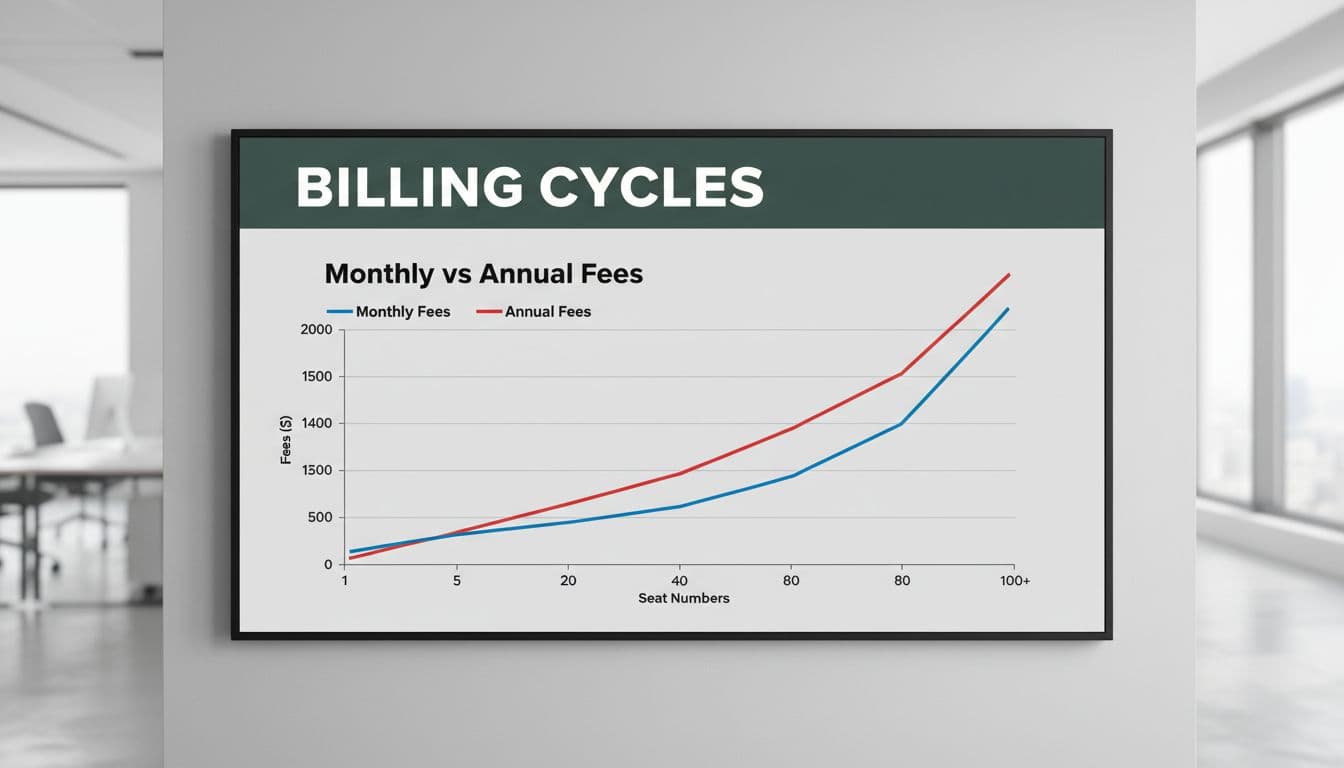
Annual billing doesn't magically lower the percentage part of Stripe fees. If a customer pays the same amount over a year, the percentage fee stays about the same. What changes is the number of times you pay the 30¢ fixed charge.
That makes annual prepay most valuable for low-price, high-frequency subscriptions.
Take one seat at $12 per month. Billed monthly, the fee is 73.2¢ each time, or $8.78 across a year. Billed annually at $144, the fee drops to $5.48. Same revenue, but the effective rate falls from 6.1% to 3.8%.
Now compare a bigger account, 10 seats at $30 per month. Monthly billing creates $133.20 in annual fees. One annual invoice for $3,600 costs $129.90. The savings are only $3.30, because the invoice was already large enough that the fixed fee mattered less.
The same logic applies to seat changes mid-cycle. If you create five separate $6 invoices for add-on seats, you pay about $2.58 in fees on $30 of revenue. If you bundle those changes into one $30 invoice, the fee is about $1.38.
In seat-based billing, the fee problem usually isn't the seat model itself. It's too many small charges.
So, minimum seat commitments and invoice thresholds can protect margin. A five-seat minimum, a platform fee with included seats, or a rule that tiny seat changes wait until the next invoice can all reduce SaaS payment processing costs without changing your core product value.
How to reduce Stripe fees without breaking your pricing
If you're searching how to reduce Stripe fees, start with billing structure before you start shopping processors. Many founders obsess over Stripe vs PayPal fees, but for seat-based SaaS, invoice size and frequency usually have a bigger effect than the logo on the checkout page.
A few tactics tend to work well:
- Bundle seat changes into the next invoice unless the amount crosses a clear threshold.
- Push low-ARPU plans toward annual or quarterly prepay.
- Set a base platform fee, then include a seat allowance before per-seat charges begin.
- Offer ACH on large annual invoices, because Stripe's current ACH pricing is 0.8% with no fixed fee.
- Ask Stripe about custom pricing once your volume is large enough to justify it.
Blended pricing is often the cleanest fix. Instead of charging $8 for every seat from the first user, you might charge $99 for up to 10 seats, then bill overages. That raises average invoice size, reduces fixed-fee drag, and usually makes packaging easier to explain.
A spreadsheet helps, but it won't show where your fee rate climbs by geography, product tier, or payment method. That's where Explore FeeTrace's fee-saving features can help, especially if you want to see the real drivers behind your effective rate. If you want the workflow, here's how FeeTrace analyzes Stripe fees. Or skip the detective work and Analyze My Fees.
Margin gets decided in the invoice design
Seat-based pricing can scale beautifully, but only if the invoice grows faster than the fixed fee drag. When small charges pile up, Stripe fees stop looking like a rounding error and start acting like a tax on growth.
The best fix is usually structural, not dramatic. Better packaging, annual prepay for low-ARPU plans, invoice thresholds, and smarter payment-method routing will do more for margin than debating processor swaps in the abstract.